
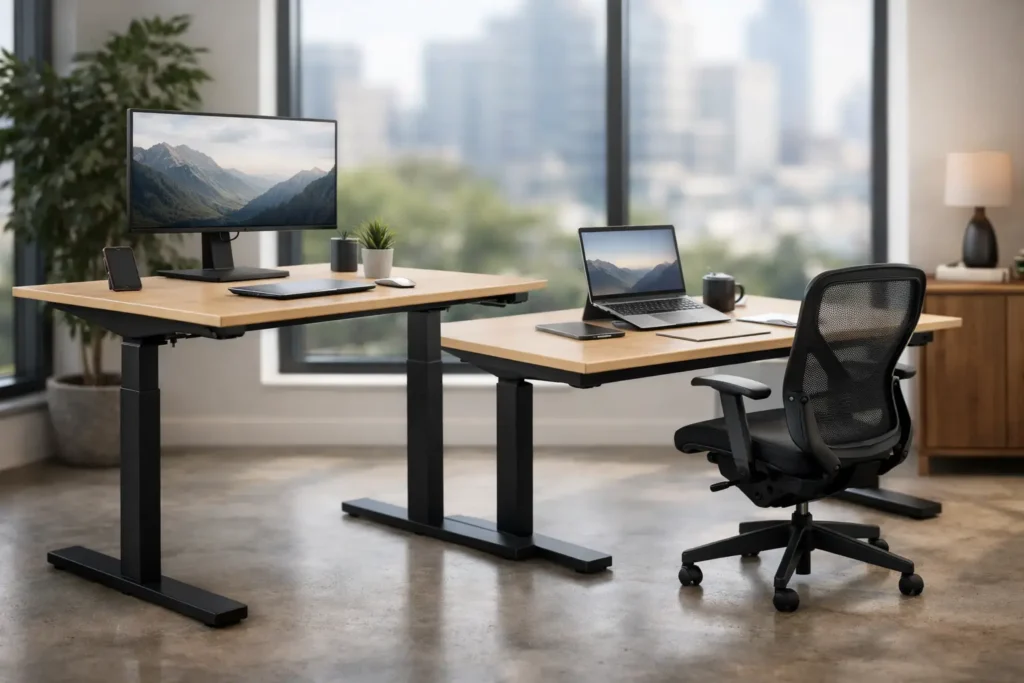
A desk that supports only one working posture is a weak fit for a modern commercial office. Height adjustable desks give employees the freedom to alternate between sitting and standing while giving designers and procurement teams a more flexible, premium workplace specification. The right choice, however, is not simply the desk with the most features. It must suit the workstyle, floor plan, power strategy, budget, and visual language of the entire project.
Why Height Adjustable Desks Belong in Commercial Plans
For offices competing for talent, employee experience is reflected in the details people use every day. A well-specified adjustable workstation signals that the organization has considered comfort, movement, and individual work preferences. It can also make one standard workstation suitable for users of different heights, simplifying desk assignment in shared or hot-desking environments.
There is a practical space-planning advantage as well. Rather than creating separate areas for conventional desks and standing work, a single adjustable desk format can support focused individual work, quick collaboration, and changing team needs. This is particularly useful in agile offices where teams expand, contract, or rotate between neighborhoods.
That said, not every seat requires a height-adjustable desk. Fixed-height benching remains a cost-effective solution for high-density settings, temporary work points, training rooms, and roles where employees are rarely stationed at a desk for extended periods. The strongest workplace strategies use adjustable desks where they will deliver clear value, not as a blanket upgrade with no consideration for utilization.
Choosing Height Adjustable Desks by Work Pattern
The starting point is not the desk frame. It is the type of work the desk needs to support. A finance team with dual monitors, a design studio working with large screens, and a reception administration team will have different technical and spatial requirements.
Individual workstations and assigned seating
For assigned desks, electric sit-stand desks are often the preferred specification. Employees can save preferred heights, move between positions with minimal effort, and keep their existing monitor, keyboard, and personal storage setup in place. Look for a stable frame with a wide height range, especially when specifying large desktop sizes or multiple monitors.
A two-leg desk is generally appropriate for a standard rectangular workstation. For larger executive desks, L-shaped configurations, or tops carrying substantial equipment, a heavier-duty frame or additional support may be necessary. Stability at the highest working position should be assessed in person, not assumed from a catalog image.
Shared desks and hot-desking areas
Shared workstations benefit from simple controls and fast adjustment. When several people use the same desk across a day, programmable presets are more than a convenience. They reduce adjustment time and make the workstation easier to adopt.
For these areas, specify durable finishes that tolerate frequent cleaning and consider cable management from the outset. A clean desk policy loses credibility when laptop leads, monitor cables, and power adapters hang visibly below every workstation. Integrated cable trays, desktop power access, and disciplined routing create a more organized result.
Team tables and collaborative zones
Height adjustment can also be valuable beyond individual desks. Adjustable meeting tables allow a project team to shift from a seated presentation to a short standing discussion without changing rooms. They are especially effective in innovation spaces, project rooms, and small collaboration zones where activities vary throughout the day.
These tables require more planning than a standard meeting table. Confirm the location of floor boxes, allowance for cable travel, monitor mounting requirements, and the weight of any integrated audiovisual equipment. The visual outcome should remain refined in both low and raised positions.
Electric, Manual, or Fixed: Make the Right Trade-Off
Electric desks are the most practical choice for most corporate workstations. They offer smooth, repeatable movement and encourage use because adjustment requires little physical effort. The trade-off is higher upfront cost, access to power, and the need to select reliable motors, controls, and frames suitable for commercial use.
Manual crank desks can be suitable for lower-use areas or projects with tight budgets, but they are less likely to be adjusted regularly. If usability is the goal, a mechanism that takes time and effort to operate works against it. Pneumatic solutions may suit compact desks, but capacity and stability should be carefully reviewed before they are used in monitor-heavy work environments.
Fixed desks remain a sensible part of many commercial specifications. The decision should be based on role, duration of desk use, and workplace objectives. A balanced furniture schedule often combines fixed tables, electric adjustable workstations, and shared touchdown points to control cost while improving the overall user experience.
What to Specify Beyond the Desktop
A height-adjustable desk should be evaluated as a complete workstation system. The top, frame, controls, accessories, and surrounding furniture need to work together over years of daily use.
Frame quality is central. Check the load capacity against the real equipment schedule rather than the empty desk. A desktop may need to carry monitors, monitor arms, docking stations, task lights, document holders, and personal items. A frame that feels steady with a bare top may behave differently once fully equipped.
The height range matters just as much. A broad range supports a wider variety of users and better accommodates standing work. Confirm the lowest height as well as the maximum height, particularly if the workplace needs to support smaller users or accessible work positions.
Controls should be intuitive, visible, and resistant to accidental activation. Anti-collision features are worth considering where desks sit near pedestals, modesty panels, mobile storage, or low partitions. They cannot replace good planning, but they offer useful protection when a desk encounters an obstruction.
Desktop finishes must align with the wider interior concept. Laminates and commercial-grade surfaces are often practical for high-use offices because they offer consistency, easy maintenance, and a broad choice of colors and textures. Timber-look tops can bring warmth to a workplace, while solid-color finishes can reinforce a clean, contemporary corporate identity. Edge detailing, leg color, and cable access should match adjacent storage, meeting tables, and task seating rather than appearing as separate decisions.
Plan Power, Cables, and Clearances Early
The most common failure in sit-stand desk projects is treating power as an afterthought. A desk that moves needs sufficient cable length and a route that remains safe and tidy through its full travel range. This should be coordinated with floor boxes, wall outlets, cable baskets, workstation screens, and the electrical contractor before installation.
Allow space beneath the desk for movement. Fixed pedestals, CPU holders, and mobile drawer units can obstruct the frame or create a collision risk if positioned carelessly. Likewise, monitor arms must be selected for the screen weight and positioned to avoid contact with partitions or adjacent desks when the worksurface rises.
For benching layouts, the coordination becomes more detailed. Shared cable troughs can create a clean visual line, but they must permit movement at each individual workstation without tensioning cables. A full mock-up is often worthwhile for larger projects. It reveals issues with reach, screen placement, privacy panels, and user movement before hundreds of workstations are ordered.
Create a Cohesive Workplace, Not a Collection of Desks
Height adjustable desks perform best when they are part of a coordinated furniture plan. Pair them with ergonomic task seating, monitor arms, mobile storage, acoustic screens, and meeting furniture that share a compatible palette and proportion. This creates a workplace that feels intentional, not assembled from unrelated products.
For hospitality-inspired offices, lighter timber tones, upholstered acoustic elements, and refined metal details can make adjustable workstations feel less technical. For a more formal corporate setting, clean-lined desk systems in restrained finishes can support a disciplined, professional atmosphere. Healthcare, education, and customer-facing administrative environments may place greater emphasis on wipeable surfaces, straightforward controls, and long-term durability.
VCUS supports commercial teams with contemporary furniture selections that can be coordinated across workstations, seating, meeting areas, lounges, and public-facing spaces. This helps project teams maintain design consistency while managing procurement through a dependable commercial furniture partner.
Evaluate the Supplier as Carefully as the Desk
For a commercial fit-out, product selection is only one part of the decision. Ask whether the supplier can support the required quantity, finishes, customization, delivery schedule, installation coordination, and after-sales requirements. A desk may look right in a showroom but become a project risk if lead times, replacement parts, or site access have not been addressed.
Request clear specifications for dimensions, load capacity, height range, electrical requirements, warranty coverage, and available accessories. If the project includes custom tops, special finishes, or non-standard configurations, confirm samples and approvals early. This protects both the design intent and the procurement program.
A working showroom trial remains one of the most useful steps before final specification. Raise the desk to its full height, test its stability with realistic equipment, review the control placement, and assess the finish alongside proposed task chairs and storage. The best height-adjustable desk is the one that supports daily work quietly, looks right within the space, and arrives ready to perform when the project opens.
